Hello customer!
 Written by adminJuly 5, 2023
 Welcome to Hudson Garden IT. This is your place to find any IT Solution.
Written by adminJuly 5, 2023 Welcome to Hudson Garden IT. This is your place to find any IT Solution.
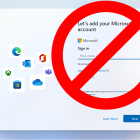
Written by adminMay 1, 2019 Microsoft stated that the internet would be required to install Windows 11 upon its release. While installing Windows 11, you will need a stable internet connection. To download updates and features, you must log in to your Microsoft account during Windows 11 installation setup. Microsoft Account login requires an internet connection and If you wish to continue using a local account, this becomes somewhat problematic.
If you are looking for a way to bypass the internet connection to install Windows 11, then this article is your guide to help you do that. This article will discuss how you can bypass an internet connection to install Windows 11.
Bypass Internet Connection To Install Windows 11
If you want to bypass the Internet Connection to install Windows 11, follow the steps given below-
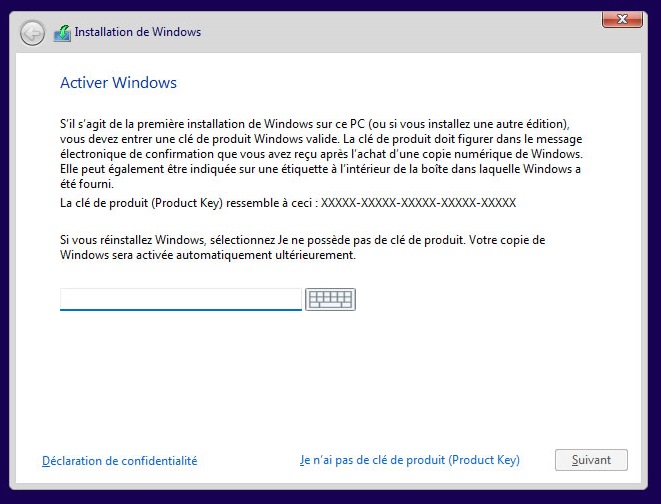
You will be asked to enter the key. Enter the key, and click on Next. If Windows 11 was installed on your PC by default and you want to reactivate it, then click on I don’t have a product key.
 Written by adminOctober 3, 2017
 You need to install the correct driver for your AHCI storage controller before changing the mode in the BIOS.
Booting into Safe Mode will work even though the storage mode has been changed… Windows will notice the change and load the correct driver on the next normal boot. Basically that means, you can do this:
Note: Switching to AHCI is essential if you want to install any Linux as RAID mode is to my knowledge not supported, so you would not see your drive(s) in the installation menu.
.